

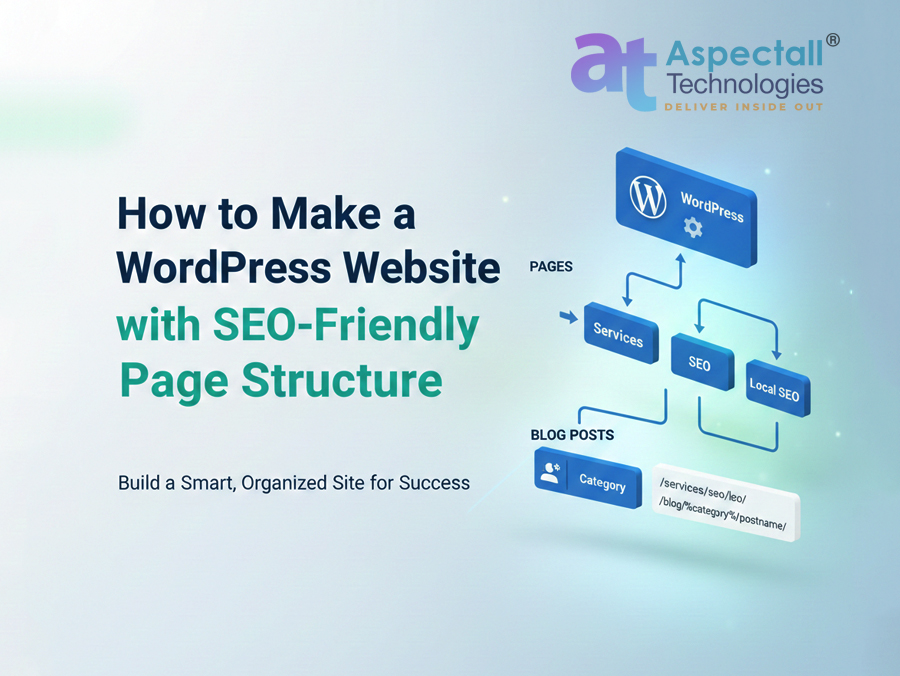
How to make Wordpress website with SEO Friendly Page structure: An essential guide by Aspectall Technologies

How to make WordPress website with SEO Friendly URL structure

Introduction:

An essential guide about “How to make WordPress website with SEO Friendly URL structure”  by Aspectall Technologies
At Aspectall Technologies®, we believe a successful website starts with a solid foundation. When we build websites for our clients here in Kolkata, we make sure they’re not just beautiful, but also perfectly organized for search engines like Google. A key part of that organization is having clean, logical web addresses, or URLs. As a trusted Web Development Company in Kolkata, we want to share a simple trick for setting up your WordPress site with the best possible SEO structure.

Understanding the difference between: WordPress Posts vs. WordPress Pages

The fundamental difference between WordPress content types lies in their respective roles in your website’s structure:

WordPress Posts are for timely, dynamic content (like blog posts, news articles, or tutorials) and are typically organized by Categories and Tags. They are displayed in reverse chronological order on a blog page, often have comments enabled to encourage community engagement, and include metadata like a publication date and author. Posts are focused on delivering fresh, sequential updates.

WordPress Pages are for timeless, static content (like “About Us,” “Services,” or “Contact”). They are organized hierarchically (using a parent/child structure) to build your site’s core structure and are manually placed in your main navigation menu. Pages are often cleaner, do not display a date, and usually have comments disabled, as their purpose is to provide foundational, easily accessible information.

A professional website developed with WordPress typically has two kinds of content, and each one needs its own unique address format:
  1. Static Pages (Like Services or Contact): These are best structured using a hierarchy (parent/child relationship). This clearly signals that one page is a part of a larger topic.
  2. Blog Posts (Your Articles and Updates): These need a structure based on their category. This helps show both readers and Google exactly what subject the article covers.

Part 1: Setting Up Clean Blog Post URLs
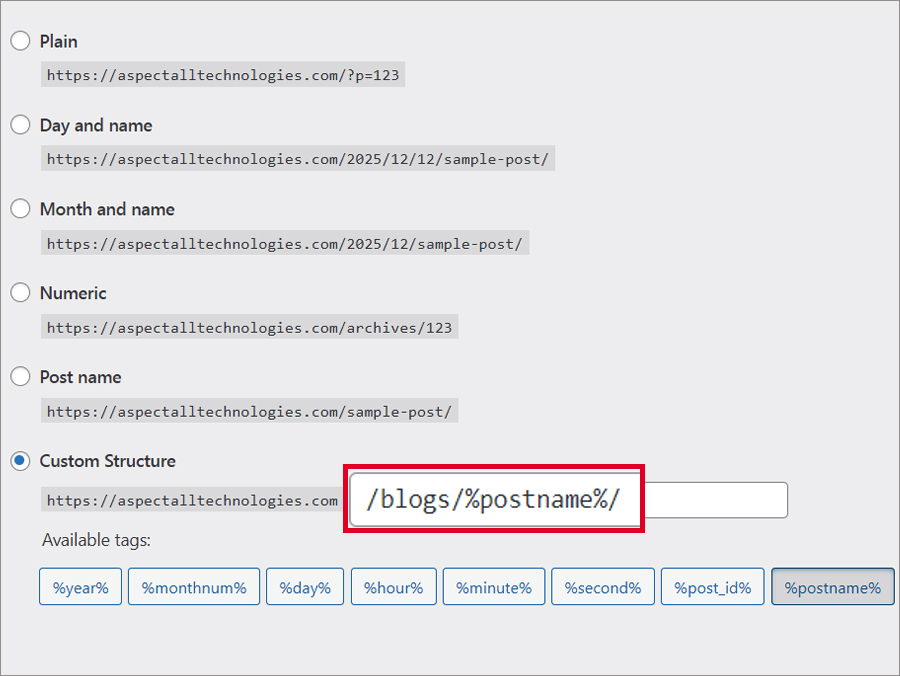
SEO Friendly URL Structure in WordPress Blog Post
First, we set the rules for your articles in the global WordPress settings:
  • 1. Go to Settings: From your WordPress dashboard, find Settings > Permalinks.
  • 2. Choose Custom: Select the Custom Structure option.
  • 3. Enter the Structure: Type this into the field: /blog/%category%/%postname%/.
    Our Tip: We recommend including /blog/ to help WordPress separate your blog posts from your main pages, avoiding conflicts.
  • 4. Save: Click Save Changes.
Example: If you write a post titled “Best Tips for Link Building” and put it in the “SEO” category, the URL becomes: yourdomain.com/blog/seo/best-tips-for-link-building/.

Part 2: Creating the Smart, Nested Service Page URLs

This is the secret to getting a clean, deep address like /services/seo/local-seo/ for your important service pages. You achieve this by setting a Parent Page when you create the page.

Step-by-Step Guide for the Hierarchical Structure:

  1. Create the Top Level (Parent):
    1. Go to Pages > Add New.
    2. Title: Services (Make sure the slug is services).
    3. Leave Parent Page as default.
    4. Current URL: /services/.
  2. Create the Mid Level:
    1. Go to Pages > Add New.
    2. Title: SEO (Slug: seo).
    3. Parent Page: Select Services.
    4. Current URL: /services/seo/.
  3. Create the Final Service Page:
    1. Go to Pages > Add New.
    2. Title: Local SEO (Slug: local-seo).
    3. Parent Page: Select SEO.
The Final Result: WordPress automatically connects these pages using the hierarchy to give you the perfect SEO-friendly URL: Example:  [https://aspectalltechnologies.com/web-development-company-in-kolkata/]

Why This Setup Matters for Your Business

For a Web Development Company in Kolkata, building a site with this structure is non-negotiable because it provides:
  • Instant Clarity: It shows Google and your visitors exactly how the “Local SEO” page fits as a key service within your larger offerings.
  • Keyword Power: Putting relevant terms like services, seo, and local-seo right in the URL is a small but effective boost to your SEO ranking.
  • Superior Organization: It makes your site easier for Google to crawl, index, and understand.
By applying both the category-based structure for your blog and the parent-child structure for your service pages, you establish a solid, professional, and SEO-friendly base for your entire digital presence! As an Web Development and SEO company in Kolkata, Aspectall Technologies® can help you implement this structure flawlessly. Would you like to schedule a quick review of your current website structure?
Disclaimer: This blog and all its contents are protected by copyright, owned entirely by Aspectall Technologies®. We strictly prohibit the use, duplication, or transmission of any text, screenshots, or featured imagery for commercial or non-commercial purposes without obtaining direct, written permission from an authorized representative of our company. Legal action will be taken against any unauthorized use.

Read Also: Follow us on Youtube & Facebook  
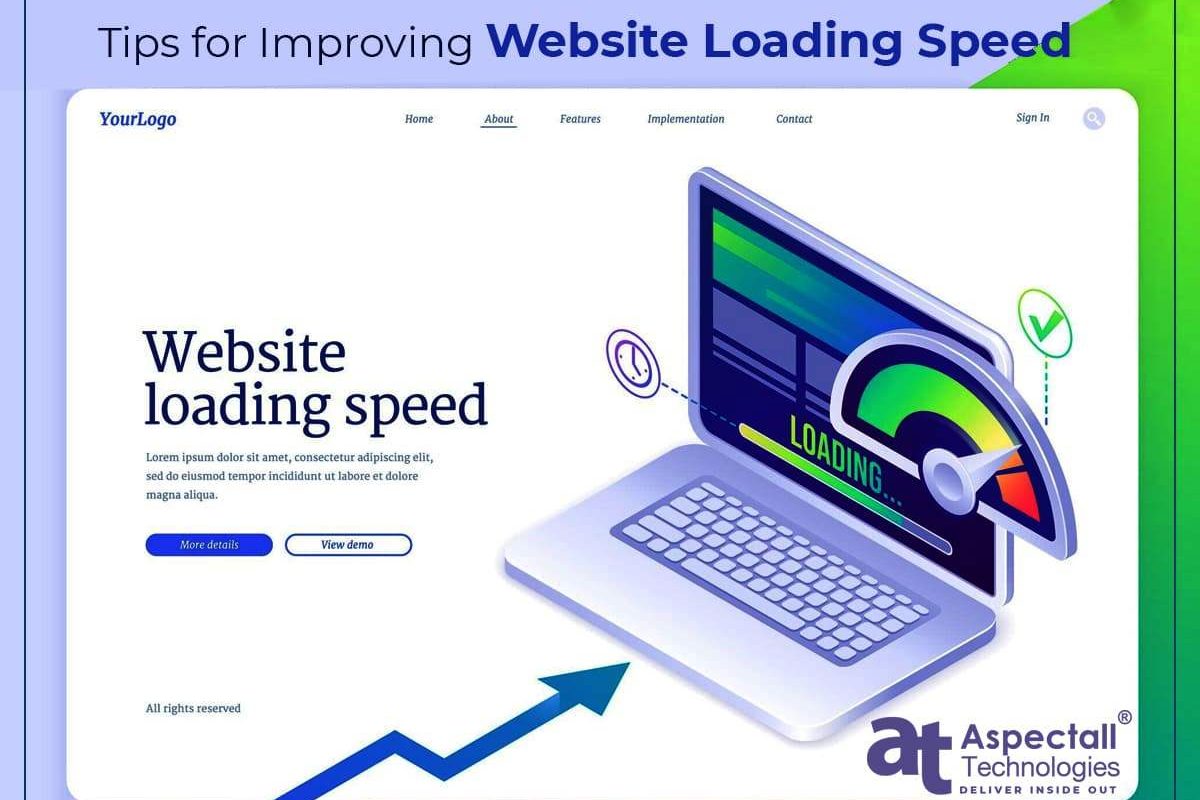
Tips for Improving Website Loading Speeds

Tips for Improving Website Loading Speeds

Why website loading speed is important?

Website loading speed is crucial for various reasons:
  • User Experience: Users are likely to get impatient and quit a website if it takes too long to load. A poor user experience caused by a slow website may reduce traffic, engagement, and conversion rates.
  • Search Engine Optimization (SEO): Google and other search engines give priority to websites that load quickly because site quality is a key factor in getting a high ranking on search engine results. In search engine results, slow websites are less likely to perform well, which can have a negative effect on traffic and visibility.
  • Mobile optimization: Having a fast-loading, mobile-friendly website is essential because now the majority of web traffic is coming from mobile devices. Slow mobile websites not only provide users with a bad experience, but they also affect their ranks in search engines.
  • Conversion Rates: Users are more likely to engage with and make purchases on a website that loads quickly, which can increase conversion rates. On the other hand, a slow website can drive away visitors or frustrate them, which will lower conversions and sales.
In conclusion, a fast-loading website is crucial for a good user experience, better search engine rankings, mobile optimization, and higher conversion rates that help boost your business growth.

Tips for improving website loading speeds

Here are some tips for improving website loading speeds: Image optimization: Image optimization is essential as large images can cause a website to load much more slowly. Make sure to optimize images by compressing them while maintaining their quality.
  • Reduce HTTP requests: HTTP requests are made for each resource on your website, including images, scripts, and stylesheets. Consolidate CSS and JavaScript files, use sprites, and eliminate unused resources to reduce the number of HTTP requests.
  • Reduce server response time: The amount of time it takes the server to react to a request might affect how quickly your website loads. Utilize a content delivery network (CDN), caching, and fewer database queries to improve server response time.
  • Use a content delivery network (CDN): By distributing content among several servers, a CDN helps to improve the loading speed of websites. As a result, the loading times will be faster due to the reduced distance between the user and the server.
  • Use a cache plugin: Caching can help improve website loading speeds by storing frequently accessed data and serving it to users quickly. To improve website performance and reduce server load, use a caching plugin.
  • Minimize JavaScript and CSS files:  Large JavaScript and CSS files should be kept to a minimum size because they can slow down a website’s loading time. Reduce those  files by removing the unnecessary extra code and whitespace.
  • Optimize Web fonts: Web fonts should be optimized because they can also affect website loading speeds. Optimize the web fonts with appropriate font weights and styles and limit the number of fonts used.
These tips will help you considerably increase website loading times, which will enhance the user experience and search engine rankings. As a web development company, they need to focus on some important steps to improve website loading speed. We have discussed some important steps to enhance the loading speed of a website. To get website development services, you need to check the website’s loading speed. If your website’s loading speed is slow, it can have a number of negative consequences, including a negative impact on user experience, conversion rates, exposure in search results, brand perception, and overall business performance. To deliver a great user experience and accomplish the objectives of your website, it is essential to emphasize website loading speed. A fast loading speed of your website helps to improve the positive user experience, which leads to an increased conversion rate and business growth.

Conclusion

Overall, website loading speed is a critical factor that helps to provide a positive user experience, optimize for search engines, and increase conversion rates. However, you can increase your website loading times by optimizing images, reducing HTTP requests, decreasing server response time, caching, minimizing CSS and JavaScript files, and optimizing web fonts. By giving priority to your website’s loading speed, you may boost user interaction, improve search engine exposure, and increase the website conversion rate, which helps boost your business growth.
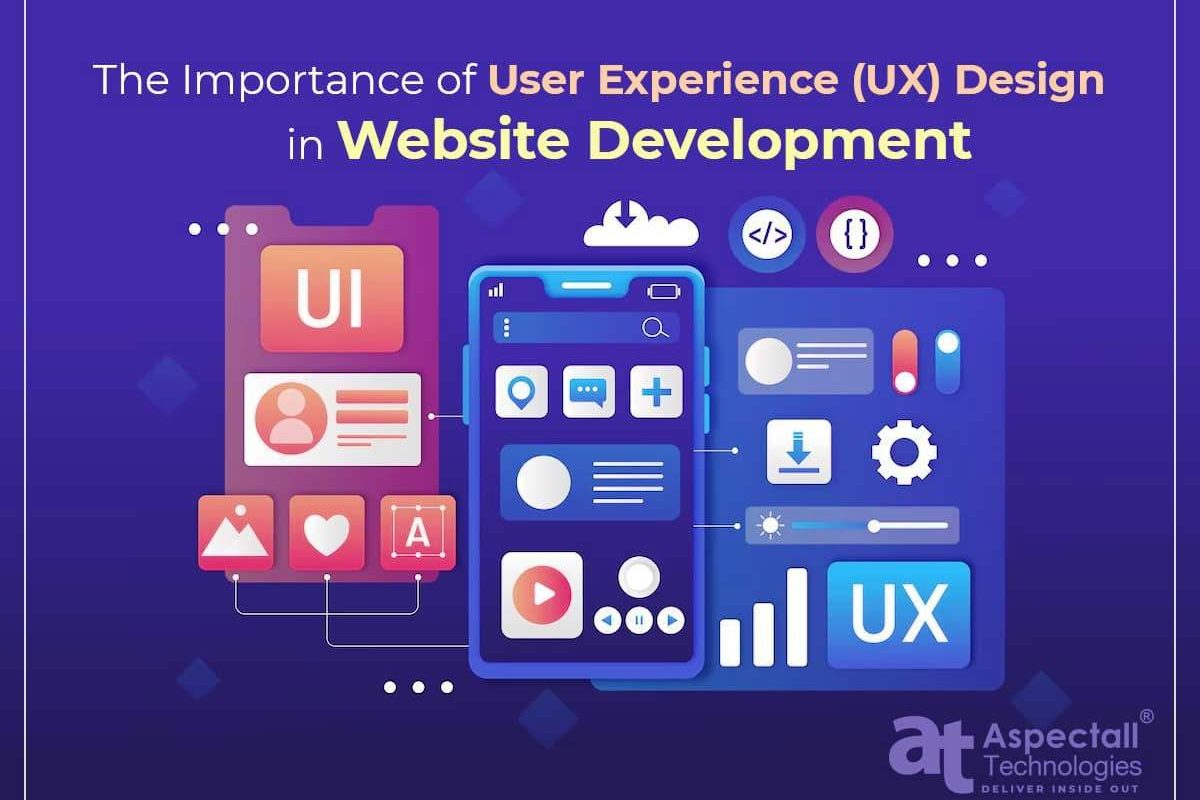
The Importance of User Experience (UX) Design in Web Development

The Importance of User Experience (UX) Design in Web Development

The process of building and managing websites on the Internet is known as Web Development. Web design, web content development, client-side scripting, server-side scripting, and network security settings are among the tasks that are involved. To build websites that are useful, interactive, and aesthetically pleasing to users, web developers use a variety of programming languages, including HTML, CSS, JavaScript, PHP, and many others. Additionally, they make sure that websites are user-friendly and SEO-friendly. In general, web development is important in the digital world because it enables individuals and companies to establish an online presence and connect with a wider audience.

The Importance of User Experience (UX) Design in Web development of website or web application

User Experience (UX) Design is vital for web development since it intends to give users a satisfying experience while accessing a website or web application. The success of a website or web application may be impacted by the way visitors perceive and interact with it. This can be changed significantly by a well-designed user interface.

Here are a few reasons why UX design is crucial in website creation:

  • Enhances Usability:The goal of UX design is to create intuitive, user-friendly interfaces that make it easier for visitors to explore a website or web application. Users will be more likely to stay on a website longer and have a better experience if the UX design of a website or web application is improved.
  • Increases User Satisfaction: By providing a good user experience, users are more likely to be satisfied with the website or web application of a business and may be more likely to visit it repeatedly or suggest it to others.
  • Improves Brand Reputation: A well-designed user experience website or web application can improve a brand’s reputation by establishing a positive impression in the user’s mind. This may help in setting a brand apart from competitors and establishing brand awareness.
  •  Increased Conversion Rates: If your website or web applications have a feature-rich user interface, users are more likely to perform a desired action (such as visiting your website or applications frequently, making a purchase, filling out a form, etc.). So a seamless user interface helps increase conversion rates and grows your business.
  • Reduce Development Costs: UX design can help minimize development costs by identifying probable issues early in the design process and fixing them.

Conclusion:

Overall user experience (UX) design is a vital component of web development that shouldn’t be ignored. It focuses on designing user-friendly, intuitive user interfaces that give users a satisfying experience while engaging with a website or web application. A superb user experience can boost brand perception, boost user satisfaction, raise conversion rates, and reduce development costs. UX design should therefore be regarded as an essential component of every web development project in order to ensure that the final outcome offers an effective and successful user experience.
Importance of Responsive website for online businesses: in-depth analysis
Importance of Responsive website for online businesses: in-depth analysis
What is Responsive website for online businesses?

A responsive website is a type of website design that adjusts its layout and content to fit the screen size and resolution of the device being used to access it. This ensures that the website is optimised for viewing on multiple devices, including desktops, laptops, tablets, and smartphones, providing a consistent and user-friendly experience for visitors. This is especially important for online businesses, as more and more consumers are using mobile devices to browse the web and make purchases online. A responsive website can lead to increased engagement, lower bounce rates, and improved conversions, helping to drive the success of the business.

Why is a responsive website so important for online businesses?

Responsive websites are important for online businesses because they provide a better user experience for visitors accessing the site from different devices such as desktops, laptops, tablets, and smartphones. A responsive website automatically adjusts its layout and content to fit the screen size and resolution of the device being used, making it easier to read, navigate, and interact with the site. This can lead to increased engagement, lower bounce rates, and improved conversions for the business. Additionally, search engines favor mobile-friendly websites, so a responsive site can also have a positive impact on search engine optimization (SEO) and improve a business’s visibility online.

How do I build a responsive website?

To build a responsive website, the following steps can be followed:
  • Start with a flexible layout:

    Use a grid-based design and CSS media queries to create a flexible layout that can adapt to different screen sizes and resolutions.
  • Use flexible images and media:

    Ensure that images and other media elements scale proportionally to the size of the viewport to prevent them from becoming too small or large on different devices.
  • Design for touch:

    Make sure that the site is optimised for touch input and can be easily navigated on mobile devices using fingers.
  • Optimize for speed:

    reduce the size of images and other media and use lazy loading to ensure that the site loads quickly on all devices.
  • Test on different devices:

    Use different devices and screen sizes to test the site and ensure that it is working correctly and providing a good user experience on all devices.
  • Use responsive frameworks:

    Utilize responsive frameworks such as Bootstrap or Foundation to make the development process easier and more efficient.
It is also recommended to hire a professional web developer or use website builders with responsive templates to ensure that the site is built correctly and meets all the requirements for a responsive website.

Who can help with making a responsive website?

There are several professional services and individuals, who can help with making a responsive website, including:
  • Web design companies:

    Companies specialising in web design and development can help you create a custom, responsive website that meets your specific needs and requirements.
  • Freelance web designers:

    Independent web designers and developers who work on a project basis can also help you build a responsive website.
  • Website builders:

    Tools like Wix, Squarespace, and WordPress allow you to create a responsive website with pre-made templates without the need for coding knowledge.
  • In-house web development team:

    If you have an in-house web development team, they can help you build a responsive website as well.
Ultimately, the best option for you will depend on your budget, skillset, and specific requirements for your website. It is important to choose a service or individual that has experience building responsive websites and a portfolio of successful projects.

Conclusion:

In conclusion, a responsive website is crucial for online businesses as it provides a better user experience and can lead to increased engagement, lower bounce rates, and improved conversions. To build a responsive website, it is recommended to use a flexible layout, flexible images and media, design for touch, optimize for speed, test on different devices, and utilize responsive frameworks. There are several professional services and individuals who can help with making a responsive website, including web design agencies, freelance web designers, website builders, and in-house web development teams. It is important to choose a service or individual that has experience building responsive websites and a portfolio of successful projects to ensure the best outcome for your business.
Services
Call
Chat
Home