

Introduction:
An essential guide about “How to make WordPress website with SEO Friendly URL structure” by Aspectall TechnologiesAt Aspectall Technologies®, we believe a successful website starts with a solid foundation. When we build websites for our clients here in Kolkata, we make sure they’re not just beautiful, but also perfectly organized for search engines like Google. A key part of that organization is having clean, logical web addresses, or URLs. As a trusted Web Development Company in Kolkata, we want to share a simple trick for setting up your WordPress site with the best possible SEO structure.
Understanding the difference between: WordPress Posts vs. WordPress Pages
The fundamental difference between WordPress content types lies in their respective roles in your website’s structure:
WordPress Posts are for timely, dynamic content (like blog posts, news articles, or tutorials) and are typically organized by Categories and Tags. They are displayed in reverse chronological order on a blog page, often have comments enabled to encourage community engagement, and include metadata like a publication date and author. Posts are focused on delivering fresh, sequential updates.
WordPress Pages are for timeless, static content (like “About Us,” “Services,” or “Contact”). They are organized hierarchically (using a parent/child structure) to build your site’s core structure and are manually placed in your main navigation menu. Pages are often cleaner, do not display a date, and usually have comments disabled, as their purpose is to provide foundational, easily accessible information.
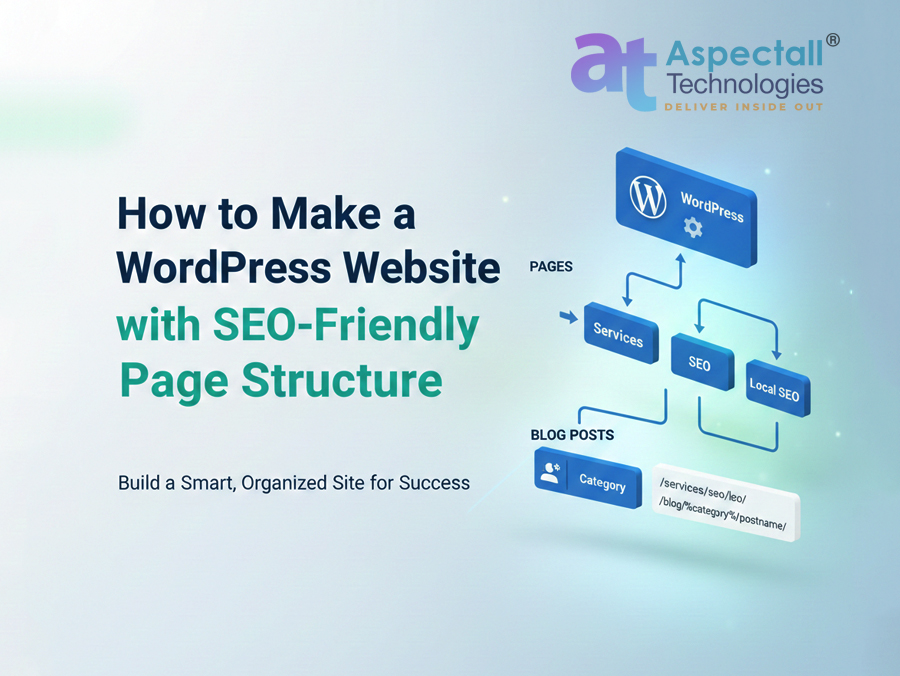
A professional website developed with WordPress typically has two kinds of content, and each one needs its own unique address format:- Static Pages (Like Services or Contact): These are best structured using a hierarchy (parent/child relationship). This clearly signals that one page is a part of a larger topic.
- Blog Posts (Your Articles and Updates): These need a structure based on their category. This helps show both readers and Google exactly what subject the article covers.
Part 1: Setting Up Clean Blog Post URLs
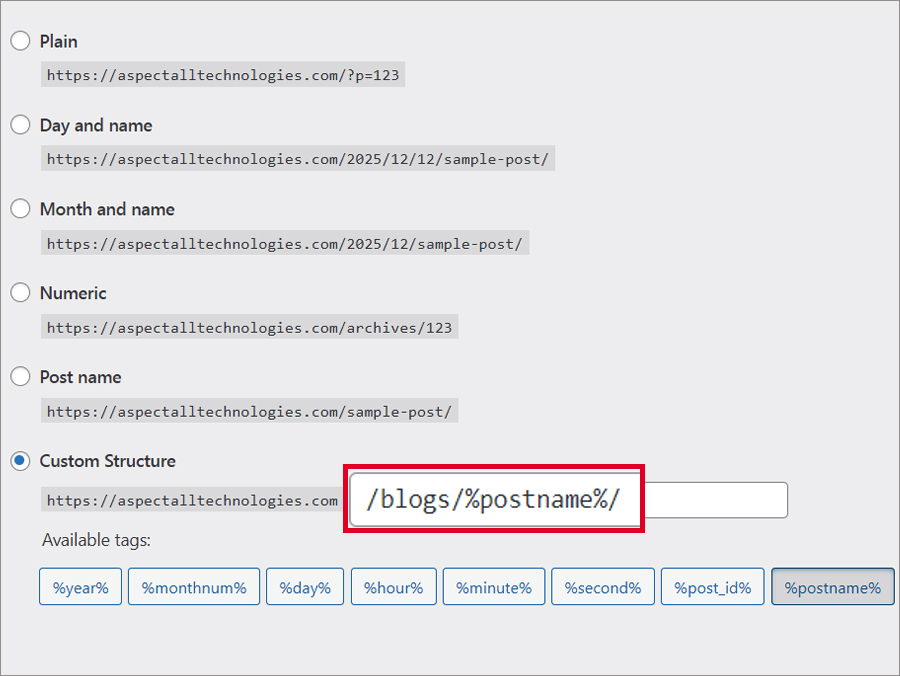
- 1. Go to Settings: From your WordPress dashboard, find Settings > Permalinks.
- 2. Choose Custom: Select the Custom Structure option.
- 3. Enter the Structure: Type this into the field: /blog/%category%/%postname%/.
Our Tip: We recommend including /blog/ to help WordPress separate your blog posts from your main pages, avoiding conflicts.
- 4. Save: Click Save Changes.
Part 2: Creating the Smart, Nested Service Page URLs
This is the secret to getting a clean, deep address like /services/seo/local-seo/ for your important service pages. You achieve this by setting a Parent Page when you create the page.Step-by-Step Guide for the Hierarchical Structure:
- Create the Top Level (Parent):
- Go to Pages > Add New.
- Title: Services (Make sure the slug is services).
- Leave Parent Page as default.
- Current URL: /services/.
- Create the Mid Level:
- Go to Pages > Add New.
- Title: SEO (Slug: seo).
- Parent Page: Select Services.
- Current URL: /services/seo/.
- Create the Final Service Page:
- Go to Pages > Add New.
- Title: Local SEO (Slug: local-seo).
- Parent Page: Select SEO.
Why This Setup Matters for Your Business
For a Web Development Company in Kolkata, building a site with this structure is non-negotiable because it provides:- Instant Clarity: It shows Google and your visitors exactly how the “Local SEO” page fits as a key service within your larger offerings.
- Keyword Power: Putting relevant terms like services, seo, and local-seo right in the URL is a small but effective boost to your SEO ranking.
- Superior Organization: It makes your site easier for Google to crawl, index, and understand.
Disclaimer: This blog and all its contents are protected by copyright, owned entirely by Aspectall Technologies®. We strictly prohibit the use, duplication, or transmission of any text, screenshots, or featured imagery for commercial or non-commercial purposes without obtaining direct, written permission from an authorized representative of our company. Legal action will be taken against any unauthorized use.
Read Also:
- The Advantages of Using a Content Management System (CMS)
- Why Choose a Kolkata-based Web Design Company for Your Business
- Tips for Improving Website Loading Speeds
- Importance of Responsive website for online businesses: in-depth analysis